Settings & Preferences
General Settings
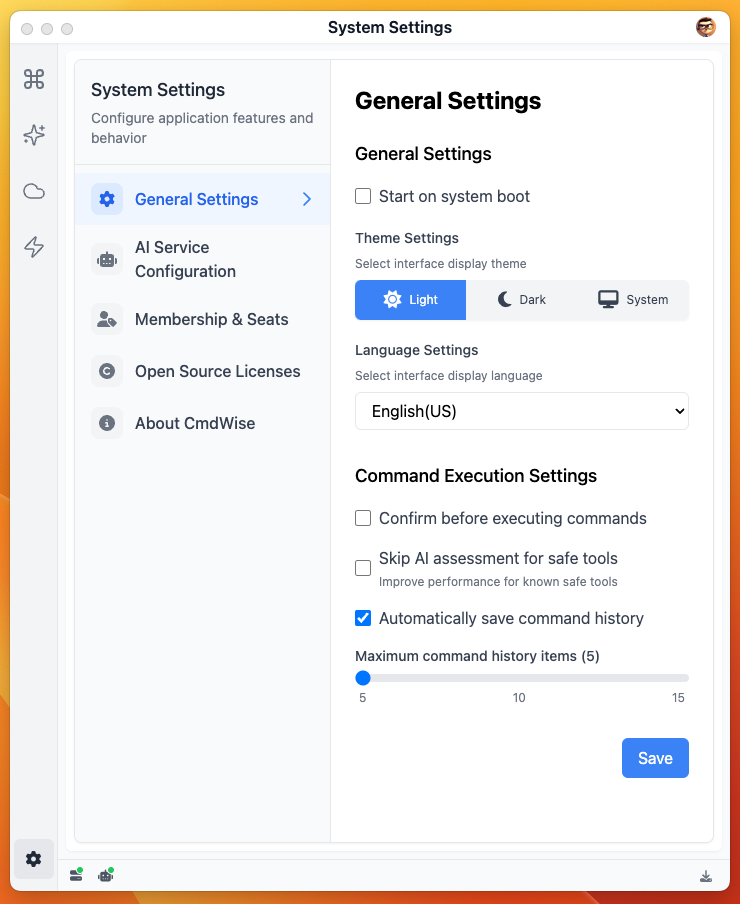
Settings Overview
| Option | Default | Available Values | Description |
|---|---|---|---|
| Launch at startup | Off | On / Off | When enabled, CmdWise starts automatically when you log into macOS |
| Theme | System | System / Light / Dark | Follow system theme or manually specify interface theme |
| Language | English | Chinese / English | Controls interface display language |
| Confirm before execution | Off | On / Off | When enabled, shows confirmation dialog before running each command |
| Skip AI assessment for security tools | Off | On / Off | When enabled, skips AI assessment for security tools |
| Auto-save history | On | On / Off | Automatically saves command history after execution |
| History limit | 10 | 5 / 10 / 15 | Automatically deletes oldest records when limit is exceeded |
AI Service Configuration
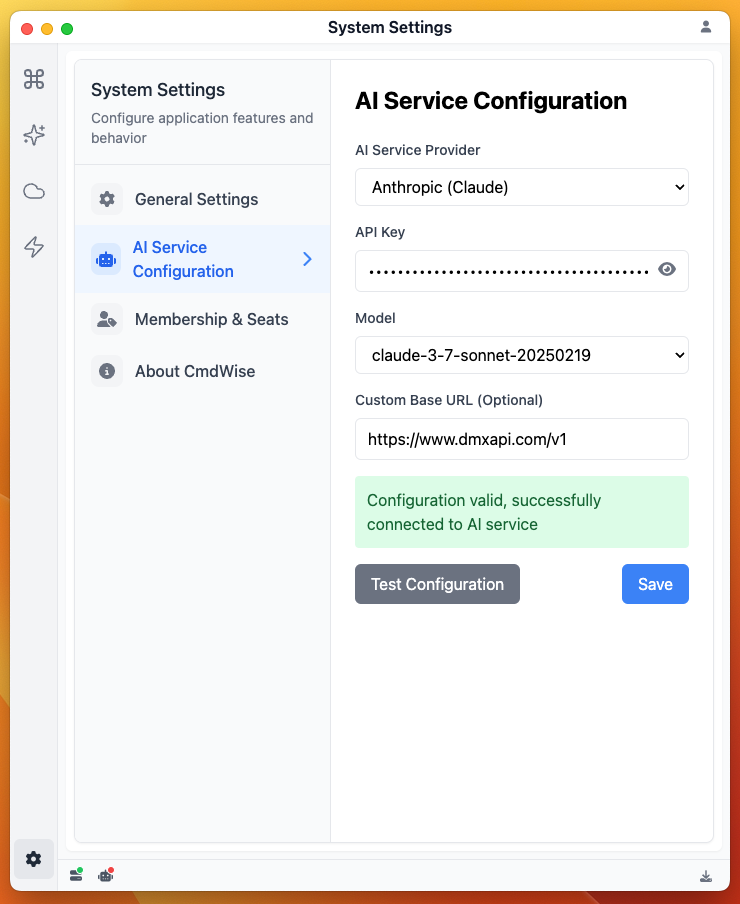
- Service Provider: Currently supports Claude only, which provides the best results for generating application code, so it's the default
- API Key: Encrypted storage. Claude API key can be obtained from the official Claude website
- Model: Currently supports claude-sonnet-4 only, supports manual input of model names like claude-sonnet-4-20250514
- Custom Base URL: Claude API address, defaults to
https://api.anthropic.com/v1, can use custom addresses likehttps://openrouter.ai/api/v1/
After configuration, click "Test Configuration". When prompted "Configuration valid, successfully connected to AI service", you can "Save" and use it.
Additional Note: You're not limited to Claude's official API. Other large model proxy providers that offer claude-sonnet-4 model can also be used.
| Large Model Proxy Provider | API Address | Model Name |
|---|---|---|
| Anthropic Claude | https://api.anthropic.com/v1 | claude-sonnet-4-20250514 |
| OpenRouter | https://openrouter.ai/api/v1 | anthropic/claude-sonnet-4 |
| DMXAPI | https://www.dmxapi.com/v1 | claude-sonnet-4-20250514 |
| Others: Check specific proxy provider websites. |