App Icon Extractor: One-Click to Get App HD Icons
The qlmanage app icon extractor is a convenient visual tool that helps you quickly extract high-quality icons from any macOS application (.app file) and save them in your desired size, all without using professional tools like Photoshop.
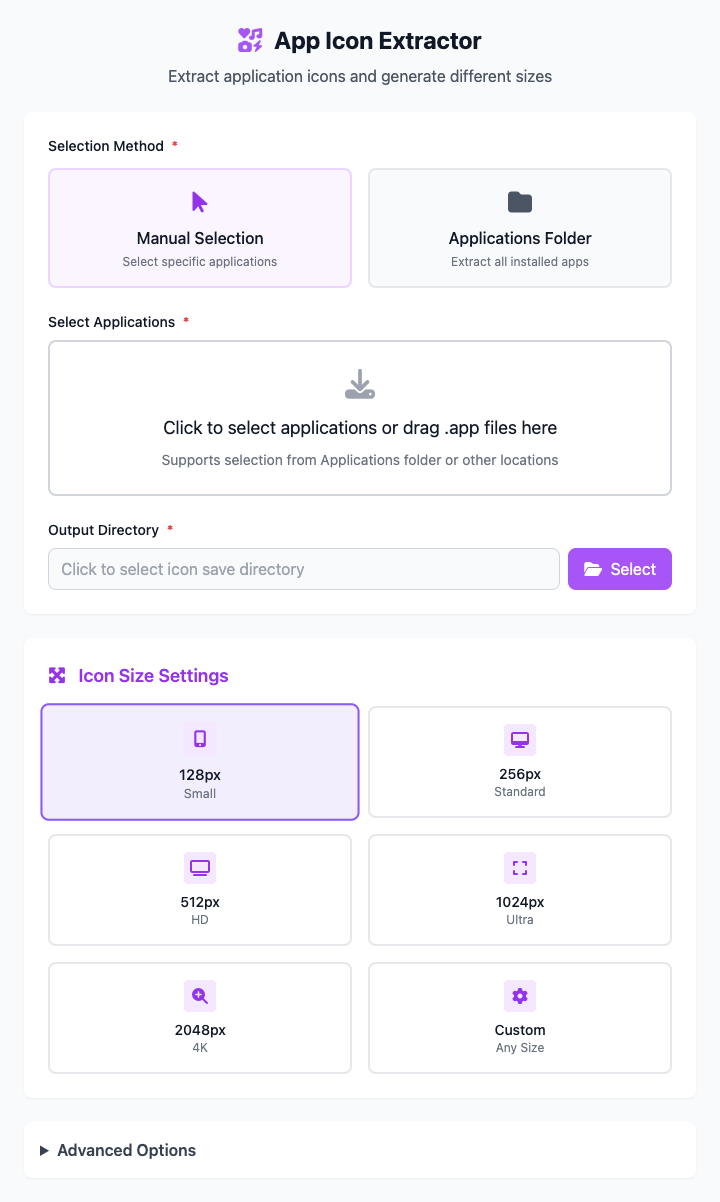
⚡️ Quick Start
- In "Selection Method", keep the default Applications Folder option.
- In the "Target Application" dropdown, select an app you want to extract an icon from.
- In "Icon Size", click on a preset size, for example
128x128. - Click "Save Directory" to select a folder to store the extracted icon.
- Click the "Execute" button. After the command completes, you'll get an extracted icon file.
🤔 When Should I Use It?
- You're a designer or developer who needs to use an app's official icon in your design drafts, presentations, or websites.
- You want to replace an app's default icon to create a personalized desktop.
- You're writing a software review article and need high-quality app screenshots and icon materials.
⚙️ Parameter Settings
Selection Method:
- Manual Selection: Lets you precisely specify an application through a file selector.
- Applications Folder: Automatically scans the system's default
/Applicationsfolder and generates a dropdown list for quick selection.
Target Application:
- If "Manual Selection" is chosen, this displays the name of your selected app.
- If "Applications Folder" is chosen, this provides a dropdown list containing all scanned applications. After selection, an icon preview will be displayed in real-time.
Icon Size: Specifies the pixel size of the output icon. We provide multiple standard icon size presets from
16x16to1024x1024.Save Directory: Sets the storage location for the extracted
.pngicon file.
⚠️ Important Notes
- This command depends on the
qlmanagetool built into macOS, so it's only available on macOS. - After parameter adjustments, the command below will update in real-time. This is a responsive interface with no "Run" button.
- Extracted icons will be named and saved in the format
app-icon-[size].pngin your selected directory.
Related Tools
In the CmdWise app marketplace, you can also find other file preview and processing tools:
- High-Res File Preview Generator: Generate high-definition preview images for any file, just like pressing spacebar in Finder.
- File Thumbnail Generator: Quickly create thumbnails of specified sizes for files or images.