yt-dlp Video Downloader: Easily Save Online Videos and Audio
This is an extremely powerful application, a fork of the popular youtube-dl, supporting downloads from over 500 websites. Whether for offline viewing of educational materials or backing up your favorite online content, it's an indispensable tool.
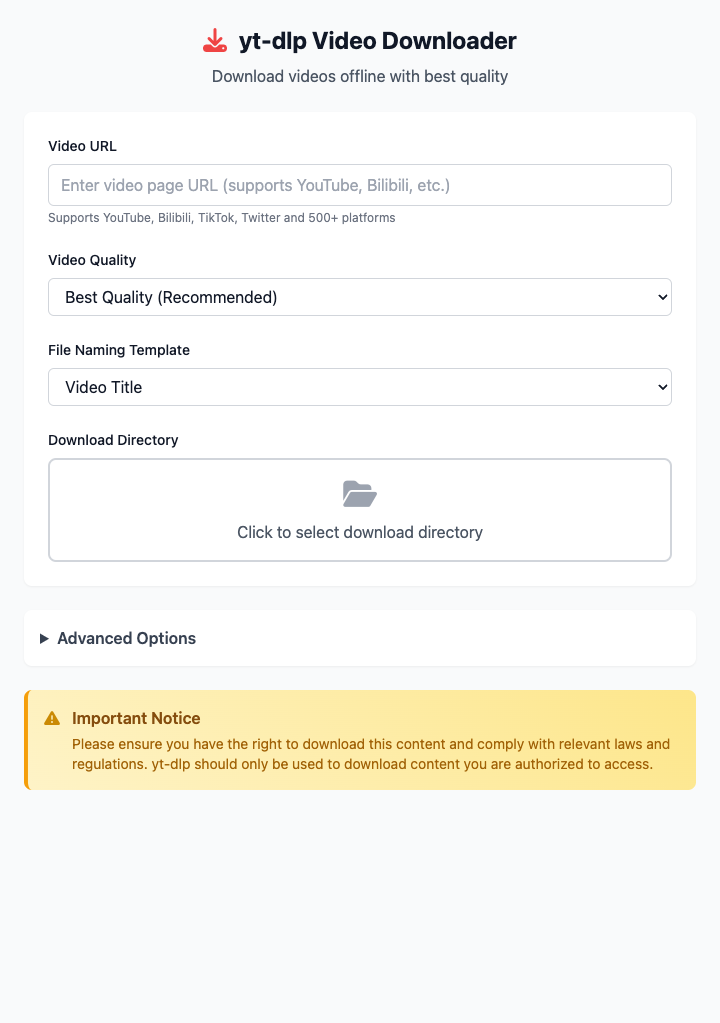
⚡️ Quick Start
- Enter URL: Paste the complete URL of the video page you want to download into the input box.
- Choose Video Quality: Keep the default "Best Quality" option.
- Select Download Directory: Specify which folder the downloaded files should be saved to.
- Click "Execute" Button: After the command completes, you'll get the downloaded video file.
🤔 When Should I Use It?
- You want to download an online course video for offline learning when you don't have internet access.
- You heard a great speech or concert and want to extract its audio and save it as an MP3 file to listen to on the go.
- You need to download a specific quality version of a video, such as 720p or 1080p.
⚙️ Parameter Settings
Video URL: The link address of the video playback page.
Video Quality:
- Best Quality: Download the highest definition version with both audio and video tracks.
- 720p/480p and below: Download the best version not exceeding the specified resolution.
- Audio Only: Only download the best quality audio track, usually saved as
.m4aor.webmformat.
File Naming Template: Several preset common filename formats to help you archive and organize downloaded files.
Download Directory: All downloaded files and subtitles will be saved in this folder.
Advanced Options:
- Subtitles: Supports downloading video's built-in subtitles or auto-generated subtitles, with language specification (like
zh-Hans,en). - Extract Audio Only: When enabled, only audio will be saved, and you can specify output format (MP3, M4A, WAV, etc.). This usually requires
ffmpegsupport. - Download Rate Limit: You can set a download speed limit (like
1Mfor 1MB/s) to preventyt-dlpfrom using all network bandwidth.
- Subtitles: Supports downloading video's built-in subtitles or auto-generated subtitles, with language specification (like
⚠️ Important Notes
- This command depends on
yt-dlp. You need to install it first via Homebrew:brew install yt-dlp. - For best functionality (like format conversion, audio extraction), it's strongly recommended to also install
ffmpeg:brew install ffmpeg. - Downloading copyrighted content may violate relevant platform terms of service. Please use this tool in compliance with local laws and platform regulations.
Related Tools
In the CmdWise app marketplace, you can also find other video processing tools that can work with yt-dlp:
- FFmpeg Video Converter: Convert downloaded videos (like .mkv or .webm) to more universal .mp4 format.
- FFmpeg Audio Extractor: If
yt-dlp's built-in audio extraction isn't sufficient, use this more professional tool to extract audio tracks. - FFmpeg Video Compressor: Compress downloaded video files to save disk space.