PDF Info Viewer: Insight Into Your PDF "Secrets"
Using the pdfly meta command, quickly read and display a PDF file's metadata, allowing you to overview detailed file properties without opening bulky PDF editors.
⚡️ Quick Start
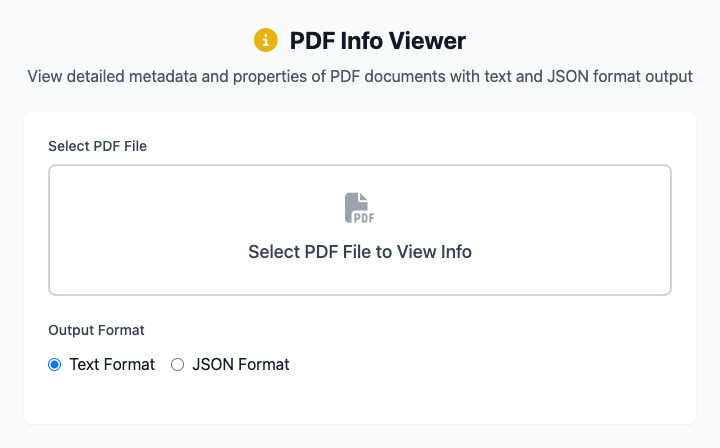
- Click to select a PDF file you want to view.
- Ensure "Output Format" is set to Text Format.
- Click the "Execute" button. After the command completes, you'll see all metadata information for that PDF.
🤔 When Should I Use It?
- You want to quickly know a PDF document's author, title, or creation date.
- You want to check how many total pages a PDF has, or whether it's encrypted.
- You're a developer who needs PDF metadata in structured JSON format for subsequent program processing.
⚙️ Parameter Description
Select PDF File: Choose the single PDF file you want to inspect.
Output Format:
- Text Format: (Default) Display metadata in human-readable, aligned plain text format.
- JSON Format: Output metadata in
key: valueJSON format. This is very useful for developers or scenarios where results need to be imported into other programs.
What is PDF Metadata?
PDF metadata is a set of data stored inside the PDF file that describes information about the file itself. It typically includes:
/Title(Title)/Author(Author)/Subject(Subject)/Creator(Software that created this PDF)/Producer(Software that converted this PDF)/CreationDate(Creation date)/ModDate(Modification date)- As well as page count, encryption information, etc.
⚠️ Dependency Installation
This tool depends on the pdfly Python package. You need to install Python and pip on your Mac first, then run this once in the terminal:
bash
pip install pdflyRelated Tools
In the CmdWise app market, you can also find other PDF processing tools:
- PDF Merger (pdfly): Merge multiple independent PDF files into one
- PDF Compressor (pdfly): Reduce PDF file size
- PDF Page Extractor (pdfly): Extract specific pages from a PDF